007: Launcher
- Status: Accepted
- Date: 2026-10-24
- Author(s): João V. Farias
Context
The launcher is the central keyboard-driven command palette for WISP. Rather than spawning separate standalone utility windows or forcing the user to type repetitive CLI flags in a terminal, it provides a single overlay window that starts on a unified root search and transitions in-place into specialized sub-views.
Benchmark
PowerToys Command Palette
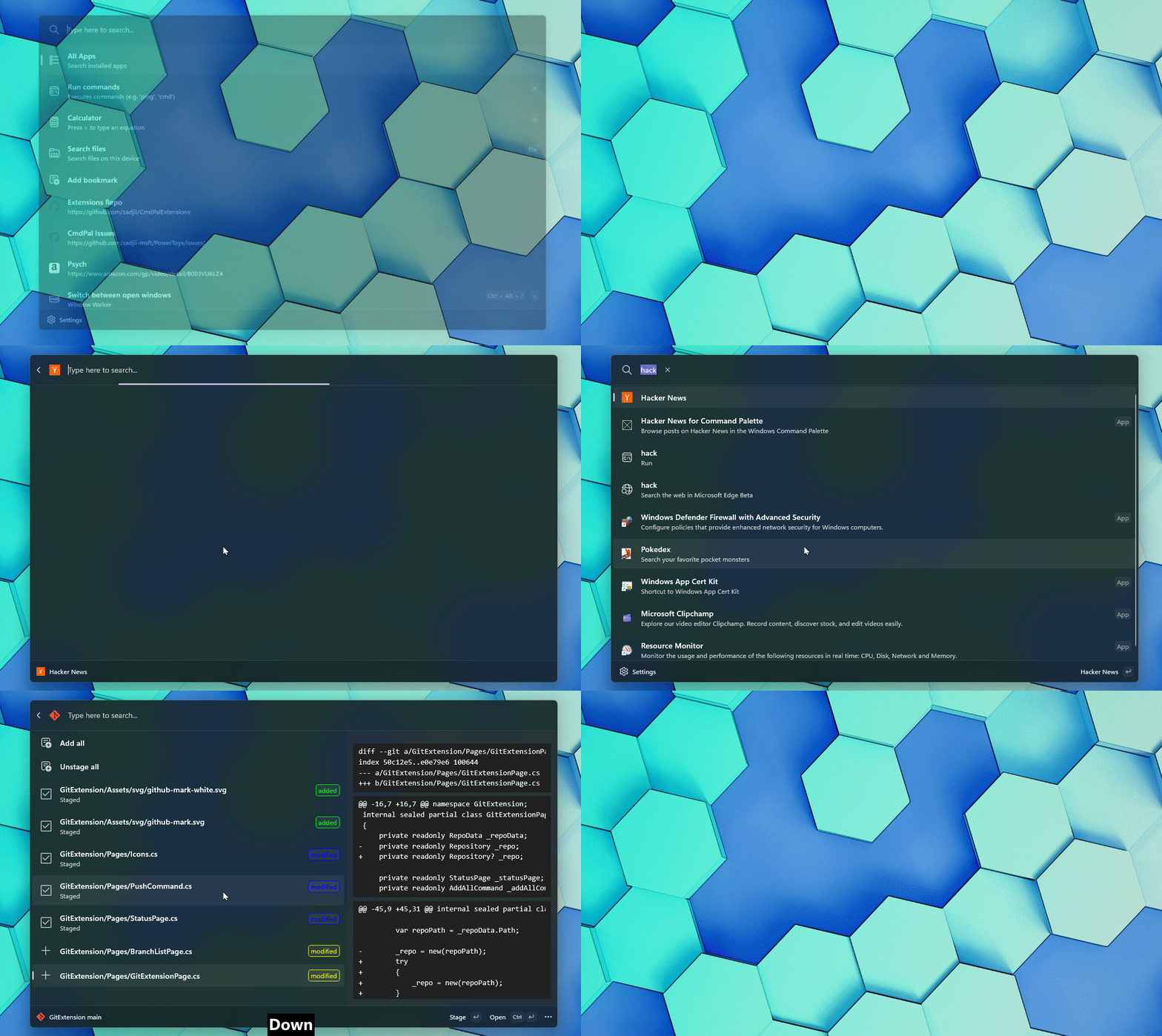
PowerToys Run utility

Sub-Views and Providers
| ID | Provider / Sub-View | Prefix | Backend / Source | Status |
|---|---|---|---|---|
| 007.1 | Desktop Applications | None | Quickshell.DesktopEntries |
Accepted |
| 007.2 | Collected Words | > |
~/.config/nushell/scripts/quotes.nu |
Accepted |
| 007.3 | Emoji and Kaomoji Picker | : |
~/.config/nushell/scripts/emojis.nu |
Planned |
| 007.4 | Service Manager | > |
dinitctl.nu / Tailscale SSH |
Planned |
| 007.5 | Calculator | = |
qalc / libqalculate |
Planned |
| 007.6 | Wallpaper Picker | > |
~/.config/nushell/scripts/wallpaper.nu |
Planned |
| 007.7 | Screen OCR | > |
grim + slurp + tesseract / RapidOCR |
Planned |
| 007.8 | Dictionary | ? |
dict.nu |
Planned |
Interaction Flow
stateDiagram-v2
    [*] --> Closed
    Closed --> RootSearch: Meta + D (Reset query)
    RootSearch --> Closed: Esc / Click outside
    RootSearch --> Closed: Enter on Desktop App / Action
    RootSearch --> SubView: Enter on Sub-View item or Prefix (: / > / =)
    SubView --> RootSearch: Esc (Pop view stack)
SubView --> Closed: Action completed (Save / Copy / Apply)- Pressing
Meta + Dopens the centered overlay on the active monitor, resets the view stack to the Root Search view, clears any prior query, and focuses the search input. - Typing in the root search filters both desktop applications and built-in sub-views/commands using unified fuzzy matching, while automatically evaluating mathematical expressions inline.
- Typing an optional prefix (
:for emojis/kaomojis,=for calculator,>for script sub-views,?for dictionary) filters directly to that provider. - Pressing
Up/DownorTab/Shift + Tabmoves selection through the results list. - Pressing
Enteron a desktop application launches it and closes the launcher. PressingEnteron a sub-view item (such as Collected Words) replaces the root list in-place with that sub-view. - Pressing
Escinside any sub-view pops the navigation stack back to the Root Search view. PressingEscon the Root Search view (or clicking outside the palette frame) closes the launcher.
Visual Design
Provide visual design mockups or wireframes of the root command palette frame in Figma.
Implementation
- Window Layer: Resident
PanelWindowon the WaylandWlrLayerShellOverlay layer (visibletoggled via IPC/shortcut for0mspopup latency) with exclusive keyboard focus while visible. - View Stack: A central
StackLayoutorLoaderinside the launcher container switches between the root search list and the active sub-view component without creating new Wayland windows.